# Vuetify Clear Fields on Dialog Open
In this blog, we will look into a simple technique to clear out fields when dialog or modal is opened in an application using Vue and Vuetify.
## Background
This is very common to open a dialog or modal from a page. Often is the case where we load data on the controls inside modal based on values passed from the parent page. That is where it also comes with a requirement to clear out fields whenever the modal is opened from the parent page. We will tackle this problem in this blog.
## Let's understand the problem
First thing first, let's write the HTML for the popup and property to manage the show/hide of the modal.
```
A Form
Close
```
Notice the code and keep reading the following points.
1. The first thing we need to make sure is the dialog component accepting a boolean property named `showDialog`, that controls the visibility of the popup. That means if `showDialog = true`, then popup shows, else, it is hidden.
2. I have added three text fields for *First Name*, *Last Name*, and *Email*. One select box is there for the *Profession*. All these fields have their respective model properties mentioned in the `v-model` directive.
3. Then there is one button inside the popup to close it when clicked. Obviously, it is going to set `false` to the `showDialog` property as I said in point number 1.
The last important piece is to add a button to this codebase in order to open the popup. The following `v-btn` can do the task for us by doing `showDialog = true` on the click event.
```
Open Modal
```
So, let's click on this button, that will bring up the popup, that looks something like this.
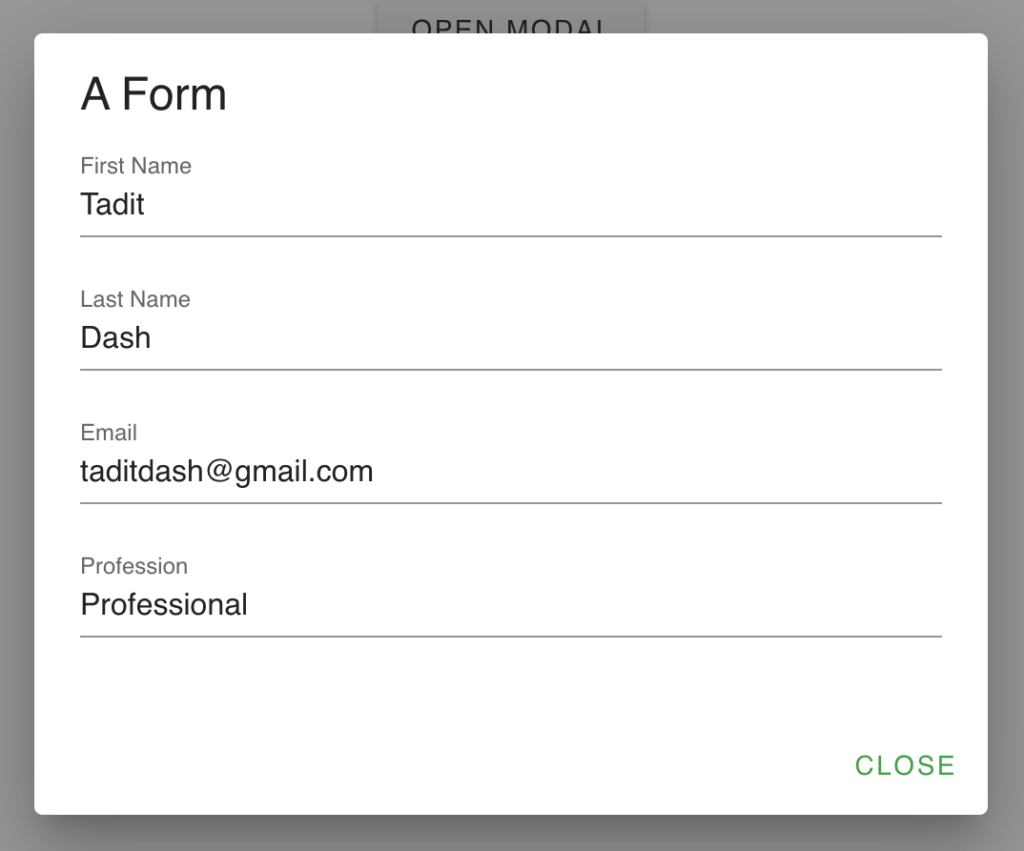
I have entered my details in the controls. Now, I will click on the button "Close", which will just close the dialog by setting `false` in `showDialog` property.
Now, if you open this modal again by clicking on the button "Open Modal", you will see all the values as entered by you. However, my requirement was to clear out all these fields and it would depend upon your situation and project. So, let's see how we can do that.
## Solution
This problem can be easily solved if you just clear out all these fields, just before the popup is opened, isn't it? The popup show/hide is managed by the property showDialog. That means, when `showDialog` is set to `true` (for opening the popup), we have to clear out the fields.
**Logic:** showDialog = true -> Clear out the fields
Here comes a `watcher`. We need to watch the `showDialog` property. Inside the watcher, if the value is `true`, meaning if the user is trying to open the modal by clicking the "Open Modal" button, let's remove the field values. The watcher would look something like below.
```
watch: {
showDialog: function(val) {
if(val) {
this.firstName = '';
this.lastName = '';
this.email = '';
this.profession = '';
}
}
}
```
Notice how we are making all the properties blank so it would automatically reflect on the controls associated with them through `v-model`.
## Full Source Code with Demo on CodePen
%[https://codepen.io/taditdash/pen/dyGbZjB]
## Feedback
Sharing is caring! If you loved this blog, feel free to share in your circle, you can do this by clicking the share icon.
Comments are appreciated as always. :)
## It takes 7 Days to learn Vue.js
Yes, you heard that right. I have co-authored a book that comprehensively takes you on a 7 days journey to learn the basics of Vue.js. You can buy that from [Amazon.com](https://www.amazon.com/gp/product/9388511867/ref=dbs_a_def_rwt_bibl_vppi_i1) or [Amazon.in](https://www.amazon.in/Learn-Vue-js-Days-Journey-through/dp/9388511867/ref=tmm_pap_swatch_0?_encoding=UTF8&qid=&sr=) or [BPB Official Website](https://bpbonline.com/products/learn-vue-js-in-7-days).
More at - [https://taditdash.com/#Vuejs7Days](https://taditdash.com/#Vuejs7Days)